Funktionen im Detail.
Features in detail.
Hier finden Sie die genauen Protokollnamen, das Recall-Feedback, die Latenz-Diagnose und die Funktionen für den Live-Betrieb. Welche Funktion in welcher Edition enthalten ist, zeigt die Tabelle weiter unten.
Here you find the exact protocol names, the recall feedback, the latency diagnostics and the functions for live operation. The table further down shows which function is part of which edition.
Multi-Protokoll-Kamerasteuerung
Multi-protocol camera control
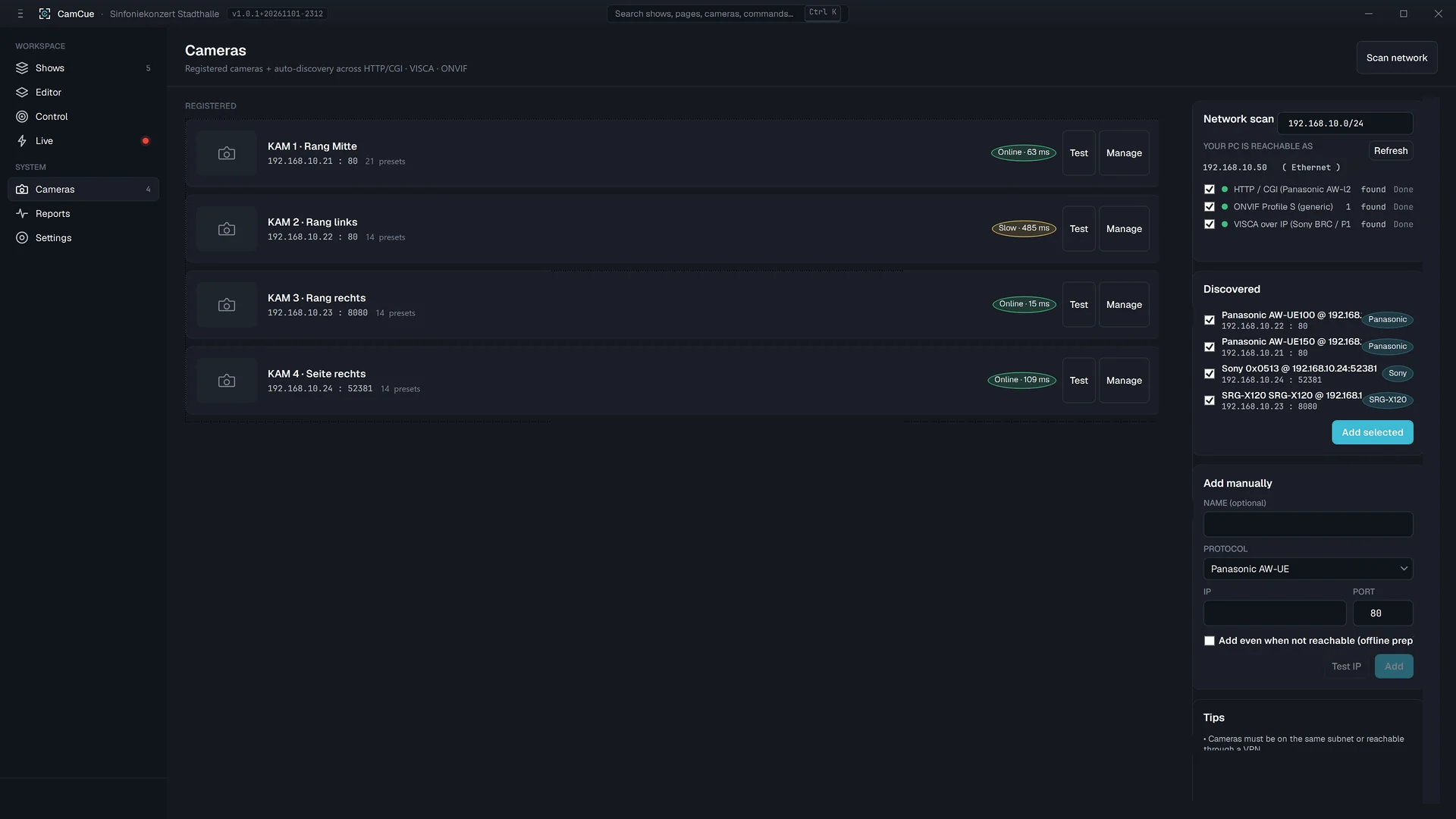
Steuerung von Panasonic AW (HTTP, AW-Serie), ONVIF (PTZ + Presets), VISCA (UDP, dualer Transport mit Sequenz-Handling) und NDI PTZ. Auto-Discovery pro Protokoll. Mischen Sie Marken und Modelle in einem Layout. Solo enthält ein Protokoll nach Wahl aus Panasonic AW, ONVIF und VISCA. Pro enthält diese drei Protokolle gemeinsam. NDI PTZ ist nur in Studio enthalten.
Control of Panasonic AW (HTTP, AW-series), ONVIF (PTZ + presets), VISCA (UDP, dual transport with sequence handling) and NDI PTZ. Auto-discovery per protocol. Mix makes and models in one layout. Solo includes one protocol of your choice from Panasonic AW, ONVIF and VISCA. Pro includes all three together. NDI PTZ is available only in Studio.
| Protokoll | Discovery | Steuer-Verben | Control verbs |
|---|---|---|---|
| Panasonic AW | HTTP discovery | pan/tilt/zoom/focus · presets · home · AF | |
| ONVIF | WS-Discovery | pan/tilt/zoom/focus · presets · home | |
| VISCA / UDP | UDP probe | pan/tilt/zoom/focus · presets · home · AF | |
| NDI PTZ (nur Studio)(Studio only) | mDNS | pan/tilt/zoom/focus · presets · home |
Presets & Shows
Presets & shows
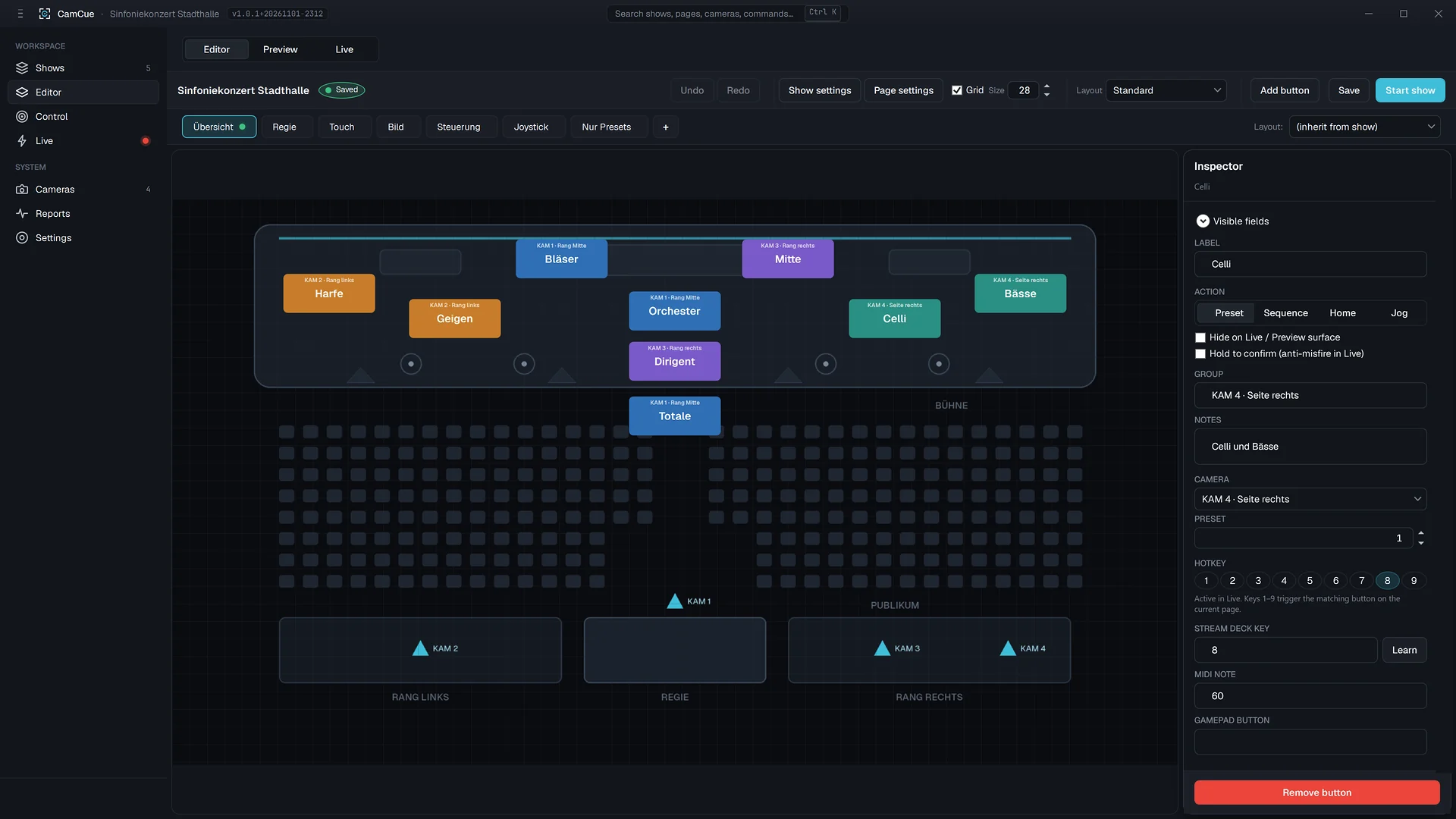
Farbcodierte Preset-Buttons (8-Farben-Palette), portable Show-Ordner mit eingebetteten Icons, Gruppen und Notizen je Button, Halten-zum-Bestätigen und Halten-zum-Joggen sowie sichtbares Recall-Feedback. Bauen Sie ein Layout einmal und rufen Sie es bei jeder Sendung wieder ab.
Colour-coded preset buttons (8-colour palette), portable show folders with embedded icons, groups and notes per button, hold-to-confirm and hold-to-jog, plus visible recall feedback. Build a layout once and recall it for every broadcast.
Setup · Edit · Preview · Live
Setup · Edit · Preview · Live
Farbcodierte Oberfläche pro Modus. Im Live-Modus ist die Seitenleiste ausgeblendet, zum Verlassen halten Sie 3 Sekunden, F12 ist der Notstopp.
Colour-coded interface per mode. In Live mode the sidebar is hidden, you hold for 3 seconds to exit, and F12 is the emergency stop.
Kameras entdecken, registrieren, Verbindungen testen.
Discover, register cameras and test connections.
Layout bauen: Buttons, Farben, Icons, Notizen.
Build the layout: buttons, colours, icons, notes.
Recalls proben, ohne den Live-Ausgang zu berühren.
Rehearse recalls without touching the live output.
Schutz gegen versehentliches Verlassen: 3 Sekunden halten. F12 stoppt alle Bewegungen.
Protected against leaving by accident: hold for 3 seconds. F12 stops all motion.
Hotkeys, Stream Deck & MIDI
Hotkeys, Stream Deck & MIDI
Mappen Sie Recalls auf die Steuerfläche in Ihrem Rack.
Map recalls to the control surface in your rack.
Tastatur-Hotkeys
Keyboard hotkeys
Hotkeys pro Button, solange das CamCue-Fenster aktiv ist. Einen systemweiten Hook gibt es bewusst nicht, damit Tastenkürzel anderer Programme nicht kollidieren.
Hotkeys per button while the CamCue window is in focus. There is deliberately no system-wide hook, so shortcuts of other programs do not collide.
Elgato Stream Deck
Direkt über USB, ohne zusätzliches Plugin und ohne weitere Software. Die Tastenposition legen Sie pro Button im Inspector fest (nur Studio).
Directly over USB, without an extra plugin or other software. You set the key position per button in the Inspector (Studio only).
MIDI
Pro Button wird eine Note hinterlegt, zum Beispiel C4. Ein Note-On löst den Button aus. Einen MIDI-Learn-Modus gibt es nicht (nur Studio).
One note is assigned per button, for example C4. A note-on triggers the button. There is no MIDI learn mode (Studio only).
Crash-Recovery
Crash recovery
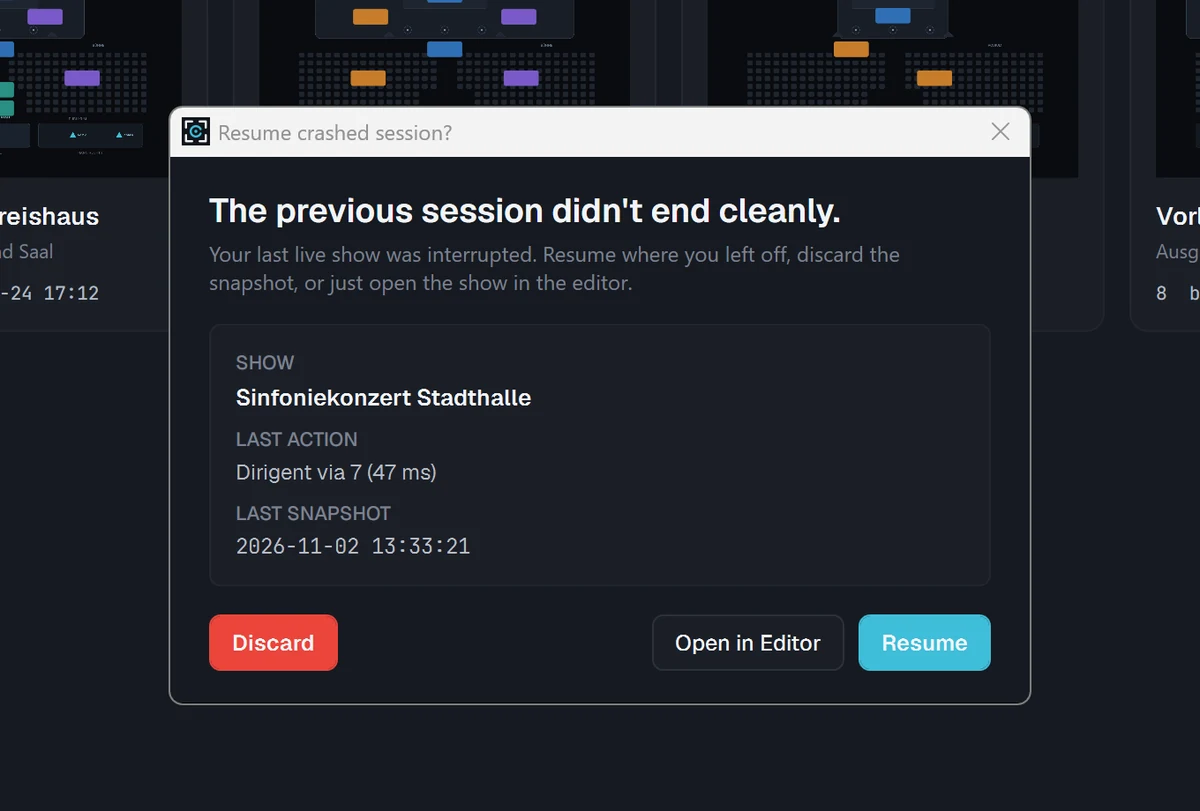
Atomare Session-Snapshots auf Festplatte (Ring-Buffer). Nach einem ungeplanten Abbruch (Stromausfall, OS-Crash) stellt CamCue die Session beim nächsten Start wieder her. Ein sauberes „End-Show" archiviert die Session.
Atomic on-disk session snapshots (ring buffer). After an ungraceful exit (power loss, OS crash), CamCue recovers the session on the next launch. A graceful "End Show" archives the session.
Diagnose & Resilienz
Diagnostics & resilience
Health-Monitor, Latenz-Tracking, Retry-Queue mit Resilienz-Banner, Fehler-Reporting und ein Ein-Klick-Diagnose-Bundle zum Anhängen an ein Ticket. Sehen Sie Probleme, bevor der Regisseur sie sieht.
Health monitor, latency tracking, a retry queue with resilience banner, error reporting and a one-click diagnostics bundle to attach to a ticket. See problems before the director does.
PDF-Show-Reports
PDF show reports
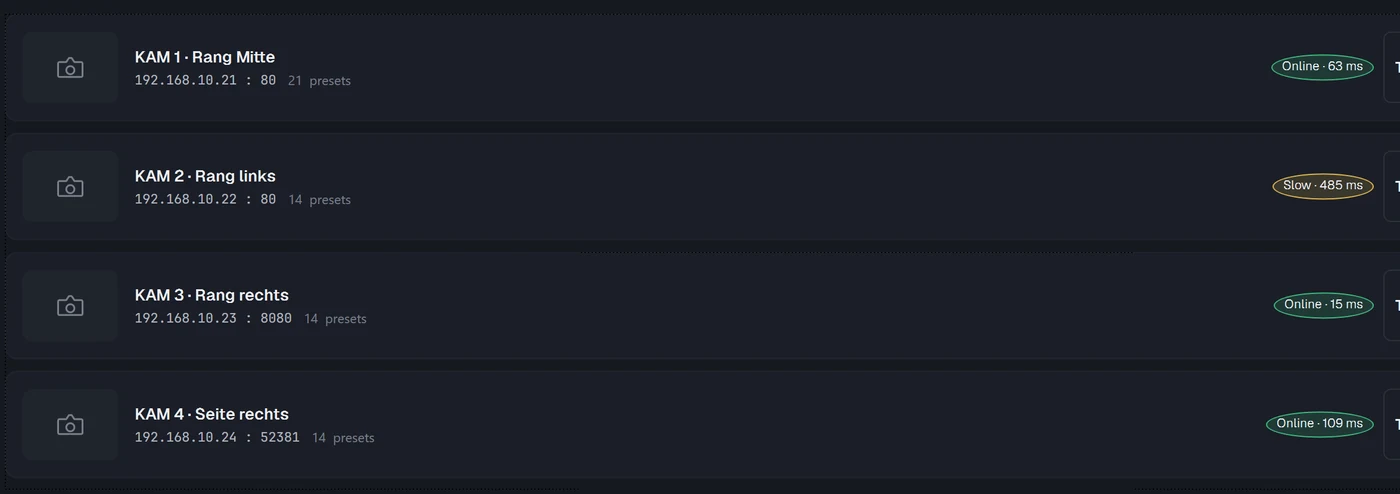
Exportieren Sie Kameraliste, Presets und Konfiguration als PDF für Dokumentation und Übergabe.
Export the camera list, presets and configuration as a PDF for documentation and handover.
Sicherheit
Security
Umgang mit Zertifikaten bei ONVIF/HTTPS-Kameras und pro Benutzer verschlüsselte lokale Zugangsdaten. Zum Installer wird eine SHA-256-Prüfsumme angegeben, mit der Sie die heruntergeladene Datei prüfen können.
Handling of certificates for ONVIF/HTTPS cameras and local credentials encrypted per user. A SHA-256 checksum is published for the installer so you can verify the downloaded file.
Funktionen nach Edition
Features by edition
Die Tabelle zeigt die Merkmale, in denen sich Solo, Pro und Studio unterscheiden. Die Preise stehen auf der Preisseite.
The table shows the features in which Solo, Pro and Studio differ. Prices are on the pricing page.
Die Tabelle lässt sich seitlich verschieben.Scroll the table sideways to compare editions.
| MerkmalFeature | Solo | Pro | Studio |
|---|---|---|---|
| Kamera-ProtokolleCamera protocols | 1 Protokoll nach Wahl: Panasonic AW, ONVIF oder VISCA1 protocol of your choice: Panasonic AW, ONVIF or VISCA | Alle 3: Panasonic AW, ONVIF, VISCAAll 3: Panasonic AW, ONVIF, VISCA | Alle 4: Panasonic AW, ONVIF, VISCA, NDIAll 4: Panasonic AW, ONVIF, VISCA, NDI |
| SeatsSeats | Anzahl beim Kauf wählbarNumber chosen when you buy | Anzahl beim Kauf wählbarNumber chosen when you buy | Anzahl beim Kauf wählbarNumber chosen when you buy |
| Tastatur-HotkeysKeyboard hotkeys | ✓ | ✓ | ✓ |
| Elgato Stream DeckElgato Stream Deck | neinno | neinno | ✓ |
| MIDIMIDI | neinno | neinno | ✓ |
| PDF-Show-ReportPDF show report | neinno | ✓ | ✓ |
| Mehr-Seat-Verwaltung und ProvisionierungMulti-seat management and provisioning | neinno | ✓ | ✓ |
| SupportSupport | E-Mail, Antwort in der Regel in 1 bis 2 WerktagenEmail, usually answered within 1 to 2 business days | E-Mail, Antwort in der Regel in 1 bis 2 WerktagenEmail, usually answered within 1 to 2 business days | Priorisiert: vorrangige Bearbeitung, keine feste ReaktionszeitPriority: handled first, no fixed response time |
| 14 Tage kostenlos testen14 day free trial | ✓ | ✓ | ✓ |
Kompatible Kameras
Compatible cameras
| ProtokollProtocol | Kameras (Auszug)Cameras (excerpt) |
|---|---|
| Panasonic HTTP/CGI | Panasonic AW-HE-Serie (z. B. AW-HE40, AW-HE130) und AW-UE-Serie (z. B. AW-UE40, AW-UE100, AW-UE150)Panasonic AW-HE series (e.g. AW-HE40, AW-HE130) and AW-UE series (e.g. AW-UE40, AW-UE100, AW-UE150) |
| VISCA over IP | Sony SRG-Serie, PTZOptics, BirdDog, Marshall, AIDA und weitere VISCA-konforme KamerasSony SRG series, PTZOptics, BirdDog, Marshall, AIDA and other VISCA compliant cameras |
| ONVIF Profile S | PTZ-Kameras mit ONVIF Profile S, z. B. Hikvision, Dahua, UniviewPTZ cameras with ONVIF Profile S, e.g. Hikvision, Dahua, Uniview |
| NDI PTZ | NDI-PTZ-Kameras, z. B. PTZOptics, BirdDogNDI PTZ cameras, e.g. PTZOptics, BirdDog |
Angaben nach der Protokoll-Dokumentation. Ob ein einzelnes Modell alle Funktionen unterstützt, hängt von seiner Protokollunterstützung ab; prüfen Sie Ihre Kameras am besten im 14-Tage-Test. Ports, Anmeldung und Modelle im Detail Based on the protocol documentation. Whether a single model supports every function depends on how it implements the protocol; the best way to check your cameras is the 14 day trial. Ports, login and models in detail